Fusion Galvo
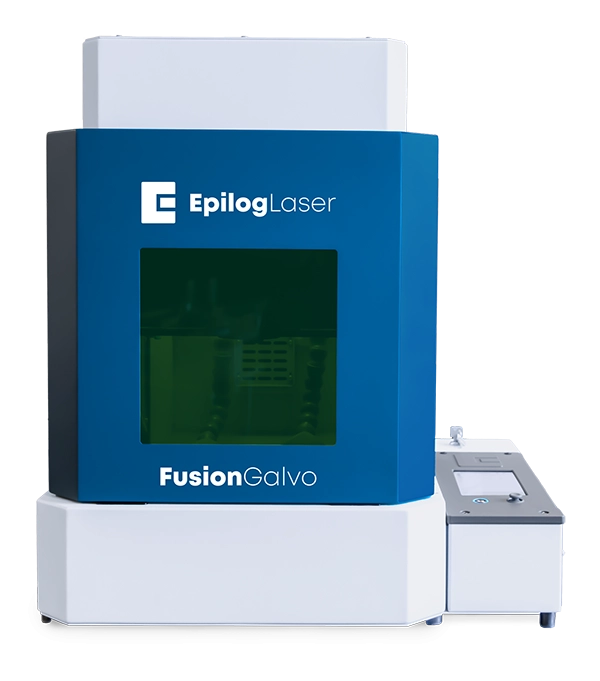
Fusion Galvo G100
Metal Marking Machine
The Fusion Galvo by Epilog Laser combines fast engraving of metals with quick and efficient project setup. This innovative laser machine produces a variety of marks on metal, including deep engraving, polished white marks, and deep black annealed etching.
Project setup is fast and easy using Epilog’s Laser Dashboard and artwork placement is exceptionally precise thanks to the IRIS™ camera system. The Fusion Galvo features an exceptionally user-friendly interface and uses high-quality parts and components, giving you unbeatable metal etching results.
| Fusion Galvo G100 | |
|---|---|
| Included Lenses | F163 and F254 lens |
| Work Area | F163: 4″ x 4″ (101 x 101 mm) F254: 6″ x 6″ (152 x 152 mm) |
| Material Thickness | F163: 10″ (254 mm) F254: 6″ (152 mm) |
| Laser Tube Types | Fiber, air-cooled, 1064nm |
| Laser Tube Wattages | 30-watt MOPA, 60-watt MOPA, or 100-watt MOPA fiber configurations |
| IRIS™ Positioning Cameras | 2 overhead |
Machine Enhancements Designed to Increase Productivity
The Fusion Galvo engraving machine from Epilog Laser combines leading-edge galvo technology and our latest features that allow manufacturers to quickly and easily engrave metal parts and components.
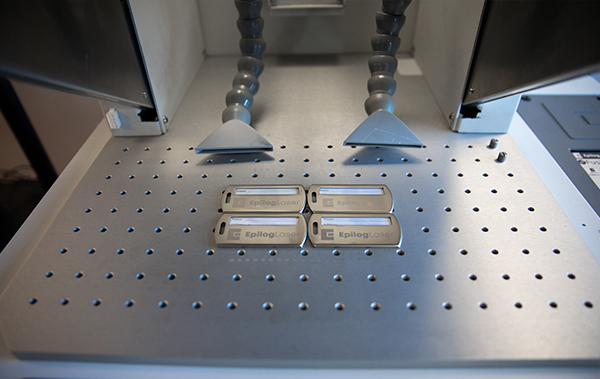
Large Marking Field
Etch on up to a 6” x 6” (152.4 x 152.4 mm) engraving area or change lenses for the 4” x 4” (101.6 x 101.6 mm) marking area.
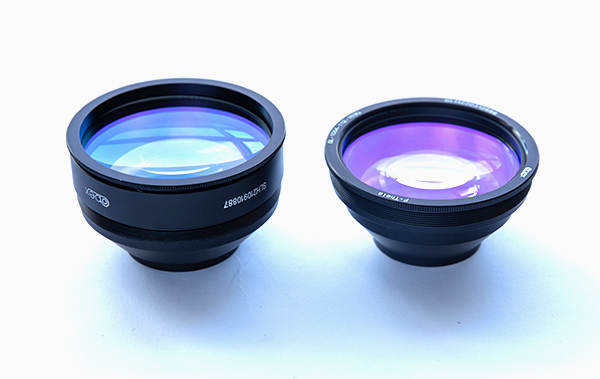
Two Lenses Included
The ability to switch to a larger or smaller marking field isn’t a pricey add-on. The Fusion Galvo includes both an F163 and F254 lens, giving you more options to achieve perfect engraving results on your materials.
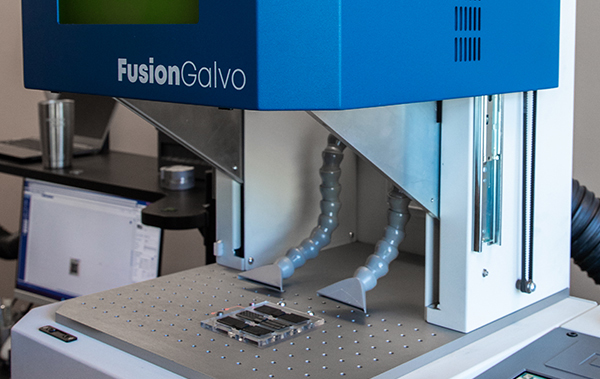
Automated Mechanical Door
The Fusion Galvo features a mechanical door that automatically lowers when starting a job and rises when it is complete, increasing your throughput on projects.

Software Compatibility
You aren’t forced to use a proprietary design software program. Design your project in AutoCAD, Bartender, Illustrator, CorelDRAW, and many other packages and print your completed design to Epilog’s Laser Dashboard.
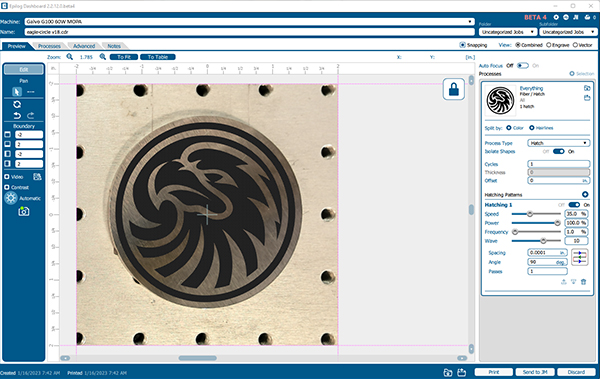
Design While the Laser Is Operating
As you wait for your job to complete at the laser, continue to set up more projects in the Laser Dashboard. Each job you send to the laser will appear in order on the display panel.

IRIS™ Camera Positioning
An overhead camera system provides a real-time picture of the working area for accurate artwork placement. Drag and drop your graphics on screen for quick processing.
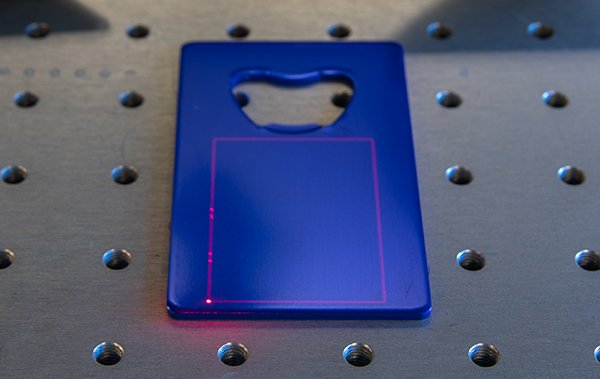
Job Trace
Just press a button and you can trace your job at the laser to see an outline of where your project is going to engrave.
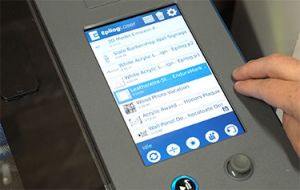
Touch Screen at the Laser
Select between jobs, focus the laser, trace your marking area, and rerun jobs at the touch of a button from the easy-to-use touch screen interface at the laser.

Network Your Laser Across Your Business
The Fusion Galvo features built-in Ethernet, USB, and Wireless options for networking your laser.
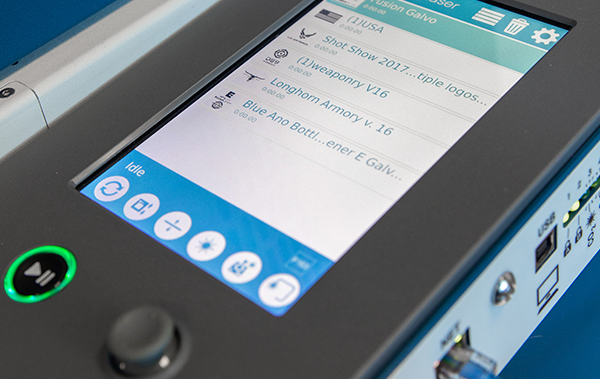
Multiple Files at the Galvo
Ready to run your next job? You can send multiple jobs to the laser and choose which to run from the display panel on the Fusion Galvo.

Memory in the Machine
Improve job management and data integrity with 1GB of RAM. Move between jobs at the control panel, and even save your most run jobs right at the laser.
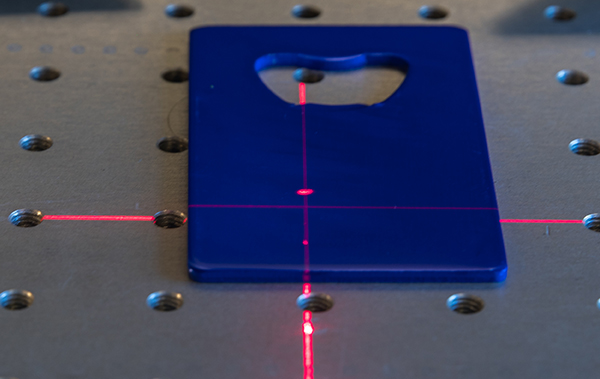
Red Dot and Auto Focus
Choose to focus your material by lining up the Red Dot Pointer, or type in your material thickness to automatically focus the laser for your materials.
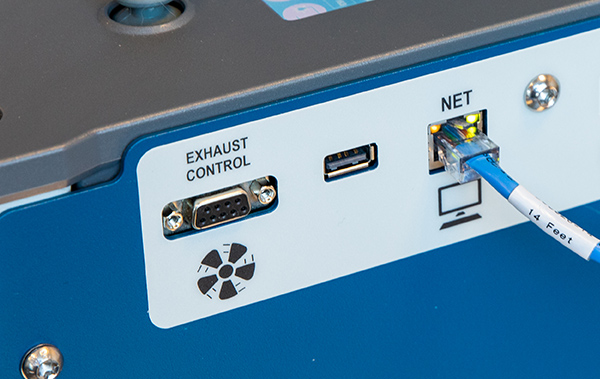
Integrated Exhaust Controller
An integrated exhaust controller will automatically cycle on and off many popular exhaust systems.
An American Company
Since 1988 we have been designing, engineering, and supporting our laser machines in Golden, Colorado.
PrintAPI
Designed as a flexible library, PrintAPI empowers developers to seamlessly create and send print jobs to Epilog Laser machines directly from their own software environments.
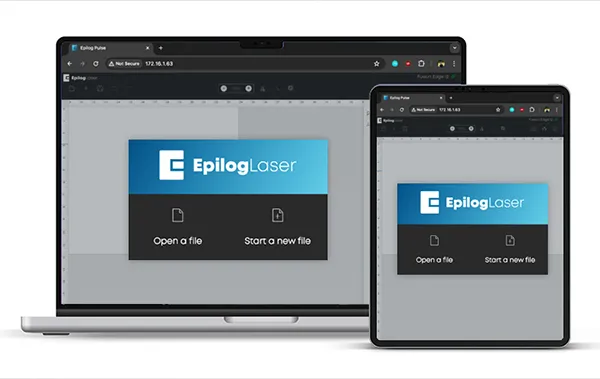
Epilog Pulse
The Pulse application is a multi-platform print application that can be used with Mac, Linux, other non-Windows operating systems, and Windows.
Product features and configurations subject to change without notice.
| Laser Machine | Fusion Galvo G100 |
|---|---|
| Maximum Engraving Speed | – |
| Work Area | Max 6″ x 6″ (152 x 152 mm) |
| Material Thickness | F163: 10″ (254 mm) F254: 6″ (152 mm) |
| Laser Source Wattages | Fiber: 30 watt MOPA, 60 watt MOPA, or 100 watt MOPA |
| Laser Tube Types | Fiber: Air-cooled, 1064nm |
| IRIS™ Camera System | 2 overhead |
| Acceleration | – |
| Motion System | – |
| Status Light | – |
| Included Lenses | F163 and F254 |
| Optional Lenses | N/A |
| Included Table | Breadboard table with tapped holes on 25 mm centers |
| Max Table Weight | 100 lbs (46 kg) |
| Drop Down Door | Mechanized front door |
| Air Compressor | – |
| Size (W x D x H) | 28″ x 23″ x 31″ (door closed) 37″ height (door open) (711 x 584 x 787 mm / 940 mm) |
| Weight | 131 lbs (59.5 kg) |
| Electrical | Voltage: Auto-switching 100-120, Amp draw–MAX: 13A Voltage: Auto-switching 220-240, Amp draw–MAX: 6.5A 50 or 60 Hz, single phase |
| Ventilation | 350-400 CFM (595-680 m3/hr) external exhaust to outside or internal filtration unit required. One output port, 4″ (102 mm) diameter. |
| Class | Class 2 Laser Product – 1 mW CW Maximum 600-700 nm |
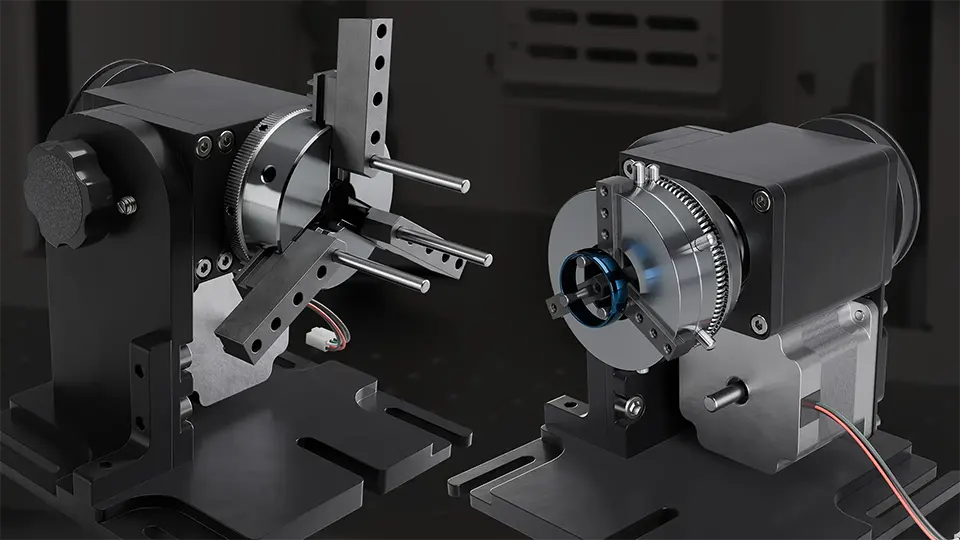
Galvo Rotary Attachment
Accessory
The Rotary Attachment option for the Fusion Galvo G100 allows you to engrave cylindrical items like tumblers, rings, and tubes quickly and easily. The 3-Jaw-Chuck design of the rotary allows for maximum precision on a variety of common cylindrical products.
Two styles: Ring Head Jaw and 3-Jaw Chuck – both capable of interior diameter marking and exterior diameter marking.
Material Compatibility
With the Fusion Galvo, mark a wide array of metals and engineered plastics.
| 17-4 PH stainless steel | 303 stainless | 4043 steel | 6061 Aluminum |
| ABS (white/black) | Aluminum, 6061 | Aluminum, yellow chromate | Bayer 2807 Makrolon polycarbonate |
| Bayers bayblend FR110 | Black/white ABS | Black/white polycarbonate | Brass |
| Brushed aluminum | Carbon nanotube | Ceramics, metal-plated | Clear coat anodized aluminum |
| Cobalt chrome steel | Colored delrin (black/brown) | Compacted powder iron with phosphate coating | Copper |
| DAP – Diallyl Phthalate | Delrin, colored (black/brown) | GE Plastics polycarbonate resin 121-R | Glass filled PEEK |
| Glass filled Teflon | Hard coat anodized aluminum | Inconel metals (various) | Machine tool steel |
| Magnesium | Metal-plated ceramics | Molybdenum | Nickel plated 1215 mild steel |
| Nickel plated brass | Nickel plated gold | Nickel plated Kovar | Nickel plated steel |
| Nylon | PEEK, white | Polybutylene Terephthalate | Polycarbonate (black/white) |
| Polycarbonate resin 121-R, GE Plastics | Polycarbonate, Bayer 2807 Makrolon | Polysulphone | Rynite PET |
| Santoprene | Silicon carbide | Silicon steel | Silicone wafers |
| Stainless steel 303 | Stainless steel 17-4 PH | Steel 4043 | Steel, machine tool |
| Various inconel metals (nickel-chromium super alloys) | White PEEK | Yellow chromate aluminum | Zinc plated mild steel |
| And Many More! | |||
Do you have a material you would like us to test? Our Applications Team would be happy to assist you.
- Compass Design – Aluminum
- AR Lower – Aluminum
- Door Knocker – Steel
- Connector – Engineered Plastic
- Clamps – Powder Coated Aluminum
- Eagle Coin – Steel
- Metal Ring – Powder Coated Aluminum
- Dog Food Bowl – Steel
- AR Magazine – Polymer
- Wrench – Steel
- Coaster – Slate